
Cryptoguru: Trading Simulator
Crypto Guru Trading Academy and SimulatorBusiness
4.64.53K Reviews
- Version
- 1.5.16
- Installs
- 50.00M
- Age Rating
- Everyone
Screenshots
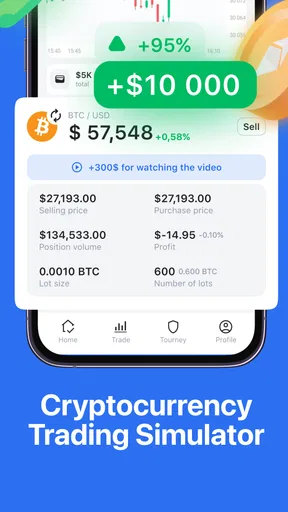
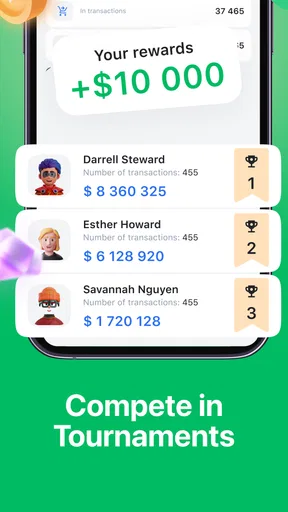



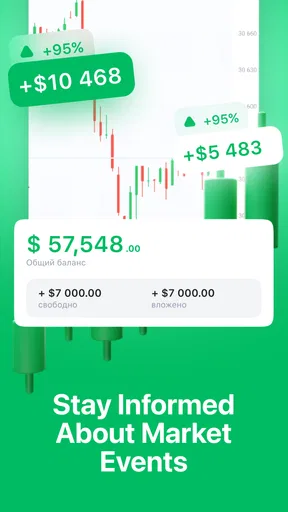
Our Review of Cryptoguru: Trading Simulator
 Analysis by Appyee
I approached Cryptoguru: Trading Simulator as a learning tool rather than a shortcut to making money. It is a free business app from Crypto Guru Trading Academy and Simulator, designed to let beginners and more experienced users explore crypto trading and investing through simulation. That distinction matters: the app is useful because it creates a safer place to practise decisions, not because it can predict what a real market will do next.
My first impression was that its main value comes from reducing the emotional cost of experimentation. A new trader can think through an entry, watch a position change, and reconsider a decision without immediately putting personal funds at risk. For someone who already understands the basics, the simulator can also work as a quick mobile rehearsal space. I would not treat it as a replacement for careful research, a regulated financial service, or professional advice, but I can see why it has attracted a large audience: it has an average rating of 4.6 from around 327 thousand ratings and more than 50 million installs.
How Cryptoguru feels when the connection is part of the lesson
I find that connectivity can become part of the learning process, not just a technical convenience: a delayed screen is a reason to pause and verify what I’m seeing before drawing conclusions. This section looks at how I’d make connected sessions more deliberate, including a simple way to keep observations useful when the signal or attention span is limited.
Why network access changes the experience
A trading simulator depends on current information more than many ordinary business apps. Prices, charts, account states, and learning material are the kinds of elements that normally need communication with the service. In practical use, that means the quality of the network becomes part of the experience. On a stable connection, the app feels much more suitable for checking a market idea, comparing a possible action with its result, or continuing a lesson without interruption.
On a weak mobile signal, I would be cautious about treating a displayed value as fresh. A delayed screen is not merely inconvenient in a trading context; it can change the meaning of a practice decision. Even though the money is simulated, the habit being formed is real. I recommend waiting for the screen to settle before recording what happened, especially if you are using the app to compare timing, risk, or the effect of a sudden price movement.
This is one of the app’s less obvious lessons. A simulator can teach market mechanics, but it can also teach users to ask whether the information in front of them is current enough to act on. That makes connectivity more than a technical detail. It becomes part of the discipline the app is trying to encourage.
Useful routines on a phone
Cryptoguru fits short sessions better than long, uninterrupted study blocks. I would use it during a quiet commute with a reliable connection, during a lunch break, or at home while reviewing one specific question. For example, a beginner might spend a session practising how a planned purchase would affect a simulated balance, then return later to see whether the original reasoning still makes sense. Keeping each visit focused prevents the app from turning into aimless tapping through market screens.
A practical routine is to decide on the question before opening the app: am I testing an entry point, learning how a position behaves, or simply becoming familiar with the vocabulary? That approach makes the simulator more valuable than repeatedly checking price movement. It also reduces unnecessary network use because you are not constantly refreshing screens without a clear purpose.
The phone format is particularly helpful for repetition. Desktop trading platforms usually offer more room for charts, simultaneous panels, and detailed analysis. Cryptoguru is easier to pick up for a few minutes, but that convenience comes with a narrower view. I would choose a larger-screen alternative when I needed to compare several pieces of information at once. I would choose this app when the goal was to practise one decision or build confidence with the basics.
What beginners should understand before trusting the simulation
The word “simulator” should guide expectations. A practice result is not proof that the same decision would be profitable with real money. Real trading adds fees, execution conditions, account rules, emotional pressure, and the possibility of losing funds. A mobile simulation can make the process feel tidy because the consequences are controlled. That is useful for learning the sequence of actions, but it can also create false confidence if every successful practice session is treated as evidence of skill.
I found the most sensible way to use it is to keep a small learning record outside the app. Write down why you made a simulated decision, what you expected, and what would have invalidated the idea. Later, compare the result with the original reasoning rather than celebrating or regretting the outcome alone. This turns the app into a feedback tool instead of a simple win-and-loss counter.
That workflow is also valuable for more experienced users. Someone who already knows how exchanges work may use the simulator to test whether a rule is easy to follow in practice. If a strategy requires constant checking, complicated timing, or information that is difficult to access on a phone, the exercise reveals a usability problem before real funds are involved.
When a session breaks or the app stops being useful
Connectivity failures are especially frustrating when a user is in the middle of a simulated decision. My advice is not to repeatedly tap buttons or assume that the first response failed. Wait for the interface to respond, check whether the account state has updated, and then confirm what the app shows before trying again. Duplicate actions are harmless only if the simulator handles them clearly; uncertainty is a good reason to pause rather than rush.
If a session is interrupted, I would reconstruct the situation from the last visible state instead of relying on memory. Note the asset or exercise you were viewing, the intended action, and the reason for it. Then resume only after the app presents a consistent screen. This may sound overly careful for a practice tool, but it builds a habit that transfers well to any financial application.
A second recovery habit is to separate technical failure from a bad trading idea. If the connection drops just as a simulated position changes, do not interpret the interruption as evidence that the market moved in your favour or against you. Record the interruption as an interruption. Keeping those events separate makes later reflection much more honest.
I also prefer using the app when my phone has enough battery and a dependable connection. A low-battery shutdown or an unstable signal can break concentration at exactly the moment when a beginner is trying to understand what happened. Cryptoguru is free, so it is easy to open casually, but a little preparation makes the practice more meaningful.
Using mobile data without wasting attention
Because the app is built around market-related information, I would avoid leaving it open and refreshing screens continuously on a limited mobile plan. A better approach is to connect to a trusted Wi-Fi network for longer learning sessions, then use short mobile sessions for a specific review. I would not assume that every screen behaves identically when the connection changes, so I would confirm that the information has loaded before making notes.
Data-conscious use is not only about megabytes. It is also about attention. Frequent checking can encourage impulsive behaviour, even in a simulator. If you open the app every few minutes simply because a notification or price movement feels urgent, you may practise reacting rather than analysing. Setting a clear beginning and end to a session helps keep the exercise educational.
One useful method is to prepare questions while offline in a notebook, then open the app only when you can investigate them. You might want to examine how a simulated order affects the balance, revisit a lesson, or compare two possible approaches. This makes the connected part of the session purposeful. It also helps users who have unreliable service because they are not trying to invent a learning plan while the screen is struggling to load.
Who will benefit most from this app?
Cryptoguru is a strong fit for someone who is curious about crypto but does not yet feel ready to use real money. The simulated environment gives that person room to learn terminology, practise a sequence, and notice how quickly uncertainty appears when prices change. It is also appropriate for a learner who wants a portable introduction rather than a dense desktop platform.
I can also recommend it to experienced users who want a low-pressure place to rehearse a rule. The benefit is not that the app will validate a strategy. The benefit is that it can expose whether the user understands the rule well enough to apply it consistently on a small screen and during short sessions.
It is less suitable for someone looking for live execution, advanced portfolio management, or a complete research workstation. A dedicated exchange or professional charting service will generally be a better choice for users who already know exactly which market tools they need. Likewise, anyone expecting guaranteed signals or a direct route to profit should skip this app; a simulator cannot provide that.
Age, cost, and practical setup
The app is free and carries an Everyone content rating, which makes it approachable for a broad audience. It runs on Android version 8.0 or later, so compatibility is reasonably accessible for users with older supported phones. I would still check that the phone has enough free space, a stable connection, and a comfortable screen before starting a longer session.
The current version is 1.5.11. Keeping an app updated is particularly sensible for a connected learning tool because changes can affect loading, account state, or the way information is displayed. I would update before beginning a serious practice routine, then spend a few minutes checking that familiar screens behave as expected rather than assuming every update leaves the workflow unchanged.
The developer name, Crypto Guru Trading Academy and Simulator, makes the educational purpose clear, but the name alone should not be treated as a guarantee of financial quality. I judge the app by how responsibly I use it: as a place to practise, question assumptions, and build a process. That mindset is more important than any individual simulated result.
How it compares with ordinary alternatives
Compared with a traditional finance news app, Cryptoguru offers a more active learning experience. News apps are useful for reading about markets, but reading does not necessarily teach a person how to make or review a decision. Here, the user can connect information with an action and then examine the outcome. The trade-off is that a simulator may simplify conditions that a real trading service presents in more detail.
Compared with a real exchange app, it is safer for experimentation because mistakes do not immediately involve personal funds. That makes it better for early practice, but worse for learning the full responsibility of real execution. A real account introduces pressure and practical details that simulation cannot reproduce perfectly. I would move between the two only after I could explain my decisions clearly, not simply after achieving a few attractive practice results.
Compared with a desktop charting platform, the app wins on accessibility and short-session learning. It loses when the task requires a broad visual layout, extensive comparison, or detailed technical work. I see it as a companion for building habits, not as a universal replacement for every tool in the crypto category.
My way of getting more from each session
I would begin with one narrow objective, use a reliable connection, and avoid making several unrelated decisions at once. Afterward, I would write a short note explaining what I expected and what actually happened. The important insight is not whether the simulated trade looked successful; it is whether the reasoning was clear before the outcome was known.
Another useful trade-off is to practise both active and patient behaviour. A beginner may naturally focus on pressing a button, yet waiting can be a decision too. Using the simulator to compare an immediate action with a planned delay helps reveal whether the user is following a method or simply reacting to movement on the screen.
Finally, I would periodically repeat an earlier exercise instead of always chasing a new topic. Repetition shows whether the lesson has become a reliable habit. If the same mistake returns whenever the connection is slow, the screen is crowded, or the session is rushed, the problem may be the workflow rather than the market idea.
My connectivity verdict
Cryptoguru: Trading Simulator works best when I treat it as a connected practice environment with clear limits. Its free access, broad compatibility, and mobile format make it easy to try, while its large user base and 4.6 average suggest that many people find the concept useful. The strongest experience comes from deliberate sessions, not constant checking.
I would recommend it to beginners who want to understand crypto trading without immediately risking money, and to experienced users who want to rehearse a process in a portable format. I would not recommend relying on it alone for advanced analysis, live trading decisions, or financial confidence. The app can help you practise the mechanics and examine your habits, but it cannot remove uncertainty from the market.
My final view is simple: use Cryptoguru to improve your questions and your discipline, not to outsource your judgement. With a stable connection, a written learning goal, and a willingness to review mistakes honestly, it becomes a practical business app for building familiarity. Without that discipline, it is easy to mistake a smooth simulated session for proof that real trading will be easy.
Privacy and Permissions
See what permissions an app requests and how it handles your data.
- Wi-Fi connection information
- view Wi-Fi connections
- Other
- view network connections, full network access, control vibration, prevent device from sleeping, Google Play license check
Verdict
Strengths of Cryptoguru: Trading Simulator
- Risk-free practice with virtual funds
- Useful for learning basic trading concepts
- No real-money losses during simulations
- Helps test strategies before using an exchange
- Suitable for beginners exploring crypto markets
Limitations of Cryptoguru: Trading Simulator
- Market data may not always match live exchange prices
- Simulator results can create unrealistic confidence
- Advanced trading tools may be limited
- Virtual trading lacks the emotional pressure of real losses
- Frequent updates may be needed as crypto markets change
Other Releases by Crypto Guru Trading Academy and Simulator
View All
TradingGuru: Trading Simulator
Finance4.7
Similar Picks in This Category
View All
LinkedIn: Community & Network
LinkedIn3.8

Zoom Workplace
zoom.com4.1

Microsoft Teams
Microsoft Corporation4.6

Meta Business Suite
Meta Platforms, Inc.4.6

Webex Meetings
Cisco Systems, Inc.4.5

TeamViewer Remote Control
TeamViewer4.4
Frequently Asked Questions
What is Cryptoguru: Trading Simulator, and who is it designed for?
Cryptoguru: Trading Simulator is an educational app that lets users practice cryptocurrency trading with virtual funds rather than real money. It is mainly designed for beginners who want to understand market orders, price movements, portfolio management, and basic trading risk before using an exchange. More experienced users may also find it useful for testing simple strategies in a low-pressure environment.
Can I make real money or trade real cryptocurrency with Cryptoguru?
No. Cryptoguru: Trading Simulator is intended for practice and learning, so the trades made inside the simulator do not represent purchases or sales of real cryptocurrency. Any virtual balance, profits, losses, rankings, or portfolio results should be treated as educational feedback only. Users should not assume that simulated performance will produce the same results in a live market.
Does Cryptoguru provide real-time cryptocurrency prices and market data?
The app is built around cryptocurrency market simulation, so its usefulness depends heavily on the availability and freshness of the price data it uses. Depending on the version, region, connection, or selected asset, prices may be delayed or differ from those shown on a live exchange. Before relying on a result, check the app’s data notes and remember that simulated execution may not reflect real market liquidity or slippage.
Is Cryptoguru suitable for complete beginners with no trading experience?
Yes, the simulator can be a helpful starting point for people who are unfamiliar with cryptocurrency trading. It allows beginners to explore buying, selling, price changes, and portfolio decisions without immediately risking deposited money. However, it should not be considered a complete financial course. New users should learn about volatility, fees, security, taxes, and risk management before trading real assets.
Does Cryptoguru: Trading Simulator require an internet connection or personal information?
An internet connection may be necessary for downloading the app, updating market prices, synchronizing progress, or accessing certain features. The exact information requested can vary by platform and app version, so review the permissions and privacy policy before creating an account. Avoid entering wallet recovery phrases, private keys, exchange passwords, or other sensitive credentials into a trading simulator.
